UPP Lost Report App2.2
Publisher Description
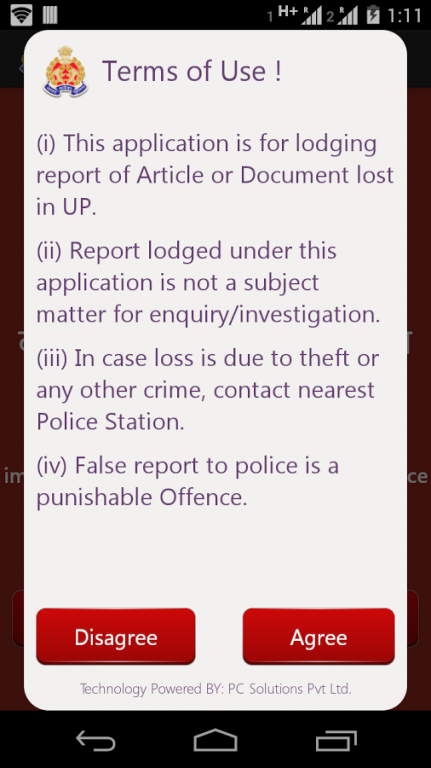
This mobile application facilitates immediate lodging of report with UP Police for Article or Documents lost in Uttar Pradesh.
+ Complainant needs to login and register to report their lost article report with UP Police
+ Complainant needs to provide their personal details
+ Complainant needs to provide their place and time of loss
+ Complainant can report loss of multiple article report at a time.
You can lodge article or documents like :
Mobile, Passport, Pan Card, Credit Card, Debit Card, Driving License, Aadhar Card, Institutional Document, Identity Card, etc.
Any agency or an individual has an option to verify the authenticity of the report, by entering the LA Report no by visiting the website of UP Police i.e. http://uppolice.gov.in
To Access this application, users should have proper data / WiFi connection to
About UPP Lost Report App
The company that develops UPP Lost Report App is Uttar Pradesh Police Technical Services. The latest version released by its developer is 2.2. This app was rated by 6 users of our site and has an average rating of 3.5.
To install UPP Lost Report App on your Android device, just click the green Continue To App button above to start the installation process. The app is listed on our website since 2015-02-04 and was downloaded 231 times. We have already checked if the download link is safe, however for your own protection we recommend that you scan the downloaded app with your antivirus. Your antivirus may detect the UPP Lost Report App as malware as malware if the download link to com.pcsolutions.upplostreport is broken.
How to install UPP Lost Report App on your Android device:
- Click on the Continue To App button on our website. This will redirect you to Google Play.
- Once the UPP Lost Report App is shown in the Google Play listing of your Android device, you can start its download and installation. Tap on the Install button located below the search bar and to the right of the app icon.
- A pop-up window with the permissions required by UPP Lost Report App will be shown. Click on Accept to continue the process.
- UPP Lost Report App will be downloaded onto your device, displaying a progress. Once the download completes, the installation will start and you'll get a notification after the installation is finished.
Program Details
System requirements
Download information
Pricing
Version History
version 2.2
posted on 2015-02-04
+ New Android Version i.e.. Android Lollipop compatibility issue fixed.,+ FAQs Updated
